Hello Trader,
Are you interested in enhancing the security of your client portal?
Changing your password every few months is an effective way to protect your funds from malicious individuals.
Allow me to provide you with a tutorial on how to change your password.
- Access into your client portal via this link: FrontBroker Client Portal
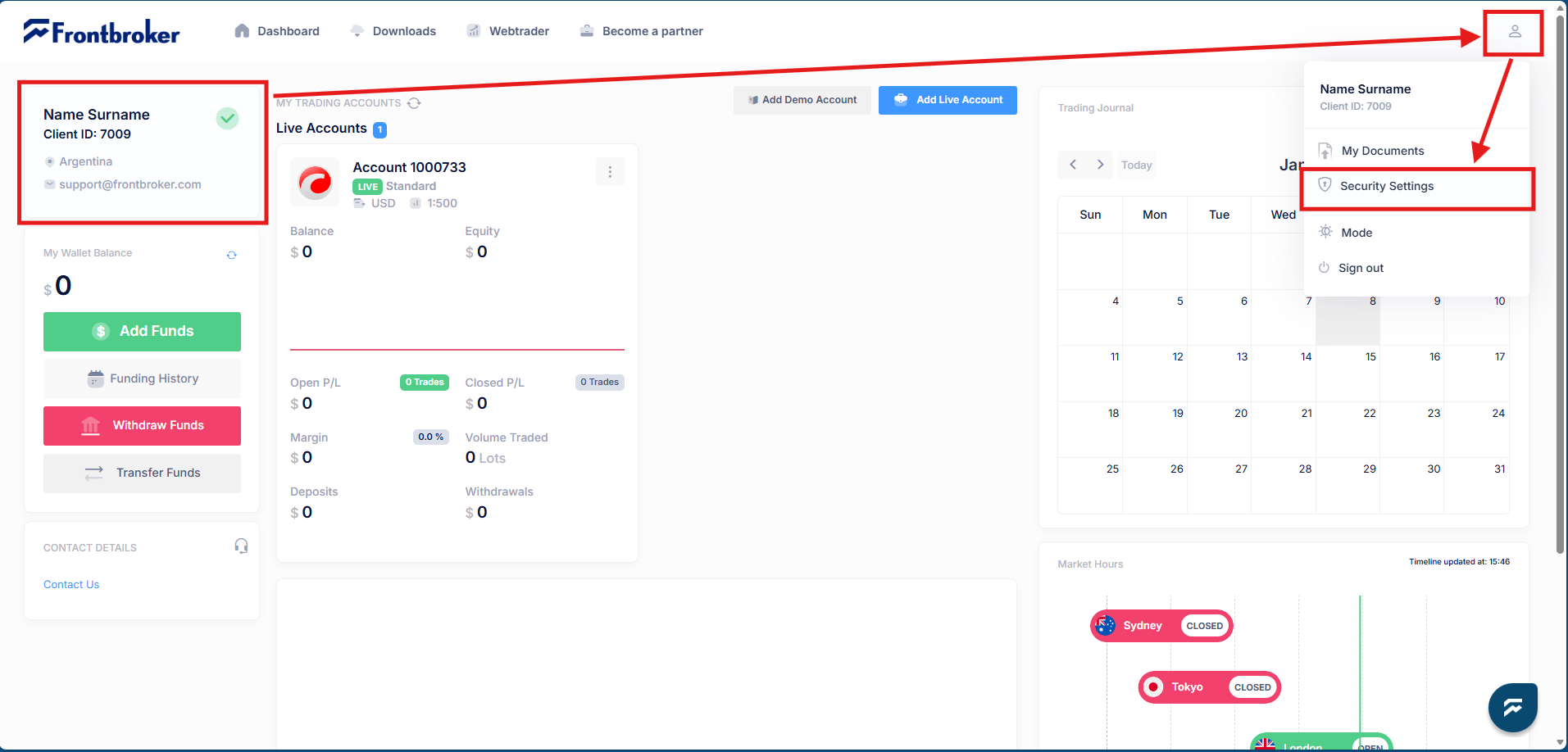
- Find the personal setting icon.
- Open the "Security Setting" menu.
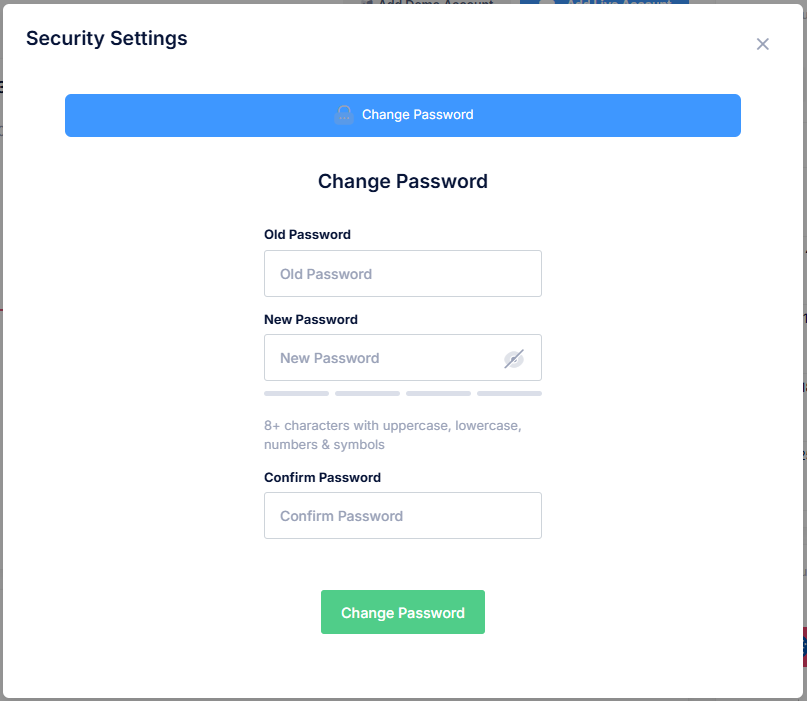
- Fill the requested information, and
- Confirm the new password by pressing the "Change Password" green button.
Was this article helpful?
That’s Great!
Thank you for your feedback
Sorry! We couldn't be helpful
Thank you for your feedback
Feedback sent
We appreciate your effort and will try to fix the article