Hello Trader,
Have you decided to withdraw funds from your client portal but aren't sure how to proceed?
Let's check out the tutorial below.
IMPORTANT NOTE: Before to initiate the withdrawal procedure, you must "Internal Transfer" the amount you wish to withdraw from your CTrade Trading Account to your Wallet Account.

Find here how to Internal Transfer funds.
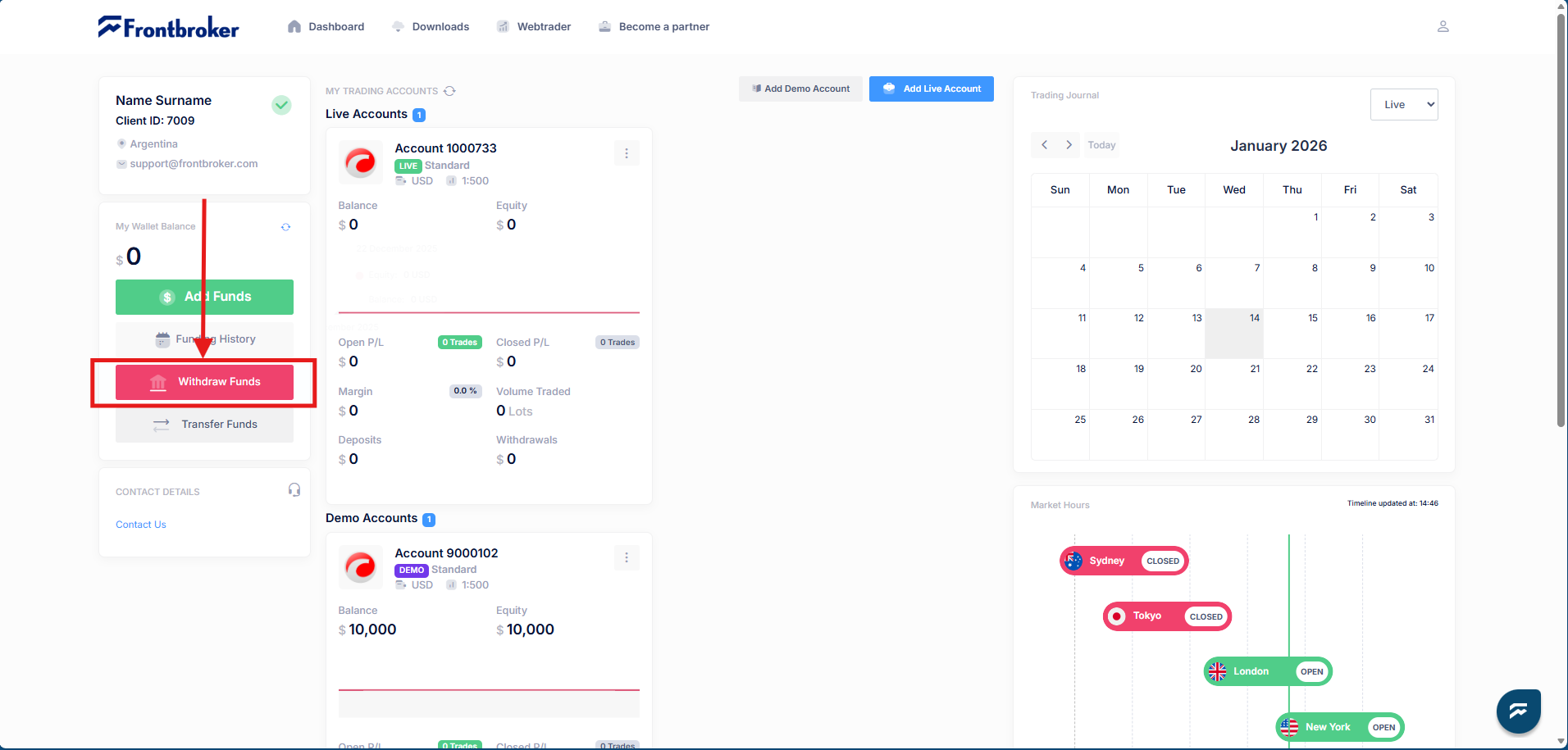
- Log in into your client portal via this link: FrontBroker Client Portal
- Find the red button: Withdraw Funds
- The follow Pop-Up will be displayed.
- Complete the requested information.
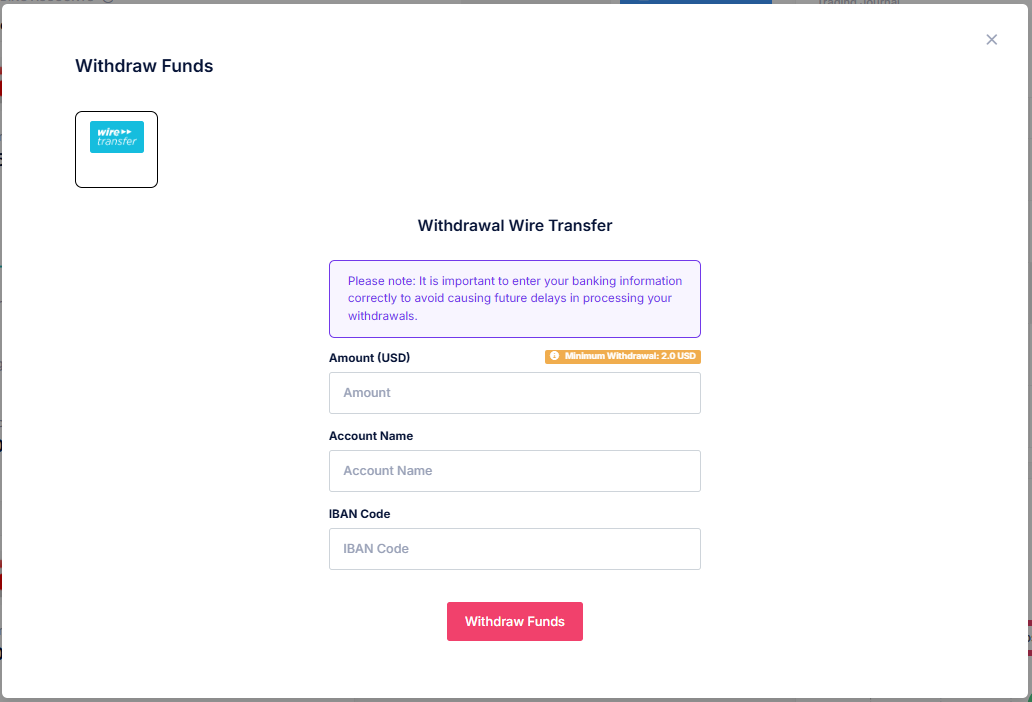
IMPORTANT NOTE: Despite the base currency of your FrontBroker Wallet [USD]; you will receive the funds converted to the currency of the destination bank account.
Was this article helpful?
That’s Great!
Thank you for your feedback
Sorry! We couldn't be helpful
Thank you for your feedback
Feedback sent
We appreciate your effort and will try to fix the article